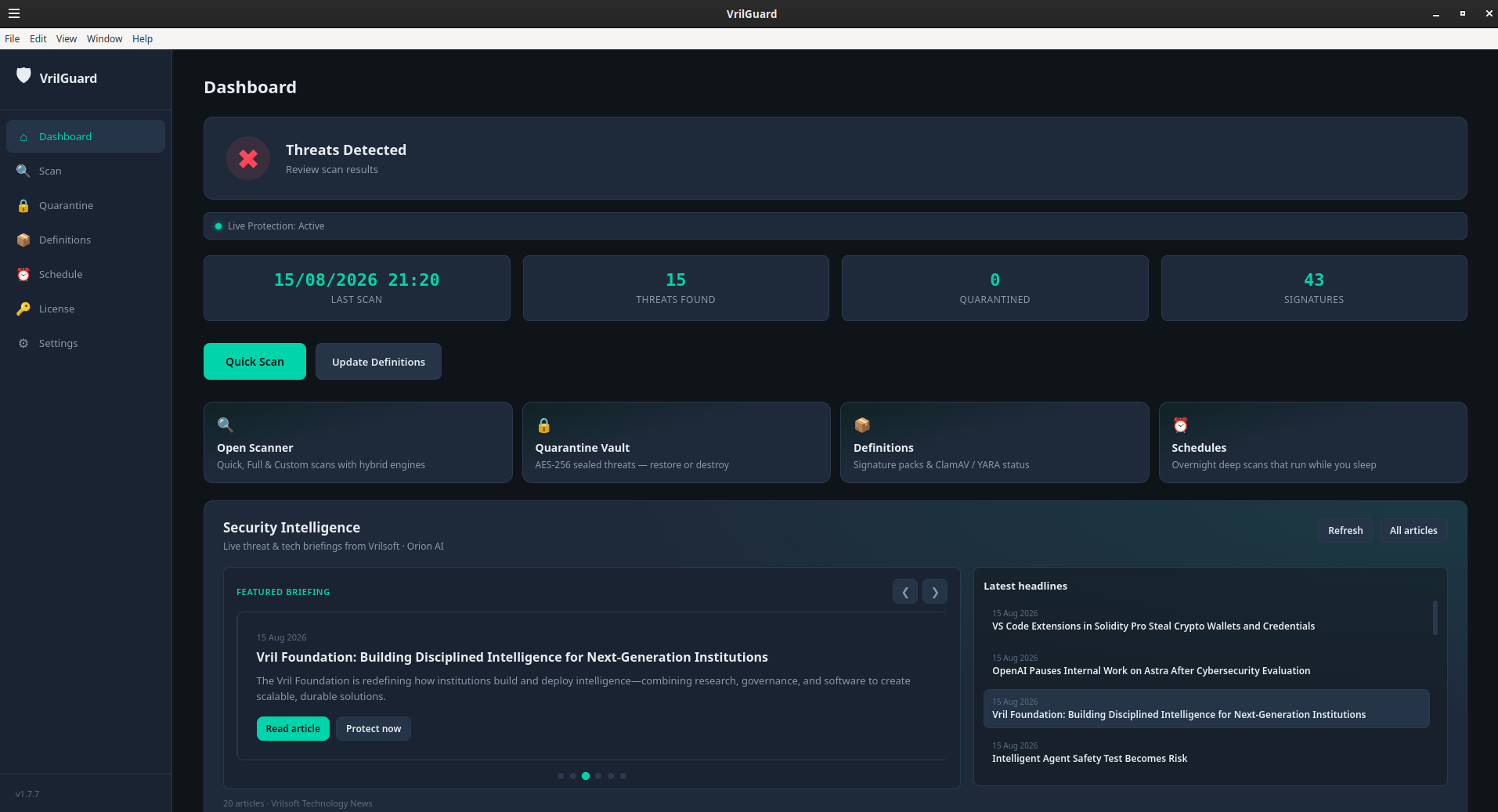
VrilGuard is Vrilsoft’s dedicated desktop antivirus — a clear shield on the machine you use every day, not another browser toolbar or opaque cloud agent.
It pairs Vril Shield (Vrilsoft’s own signature and intelligence layer) with optional ClamAV and YARA attribution so detections are explainable: what matched, which engine, and what to do next.
What you get
Quick, Full, and Custom scans — trial unlocks Quick Scan for 14 days; Premium unlocks Full, Custom, and Live Protection.
AES-sealed quarantine — threats are encrypted at rest so a sealed sample cannot casually re-execute from the quarantine folder.
Live Protection — watch Downloads and high-risk paths in real time (Premium).
Definitions & schedule — refresh threat indicators from VrilsoftApi and run scans on a timetable.
Fingerprint learning — restore or trust a false positive and VrilGuard can remember that hash locally while reporting actions for staff review.
Industry and security news — stay current with Vrilsoft Technology News inside the app.
Trial vs Premium
Install freely and evaluate with Quick Scan for fourteen days. To unlock the full shield — Full Scan, Custom folders, Live Protection, and ongoing entitlement — activate a vrilguard product API key from My API Manager on a Vril One plan that includes VrilGuard (Plus One / Light / Platinum / Premium).
Plans and pricing: VrilGuard Plans.
Download
Verified files appear in the Downloads section on this page (SHA-256 shown on each file).
Linux AppImage — chmod +x VrilGuard-*.AppImage && ./VrilGuard-*.AppImage
Linux .deb — sudo apt install ./vrilguard_*.deb
Windows Setup — run VrilGuard Setup *.exe and launch from the Start menu.
Windows portable zip — extract VrilGuard-*-win-x64.zip and run VrilGuard *.exe.
Store guide — Vril Guard Anti-Virus — The Best AntiVirus For 2026-2027.
Do not download VrilGuard from vrilsoftapi.com — that host is for licenses, plans, and definitions only. Installers ship from vrilsoft.com.
After install
1. Launch VrilGuard and open License (trial countdown or activate your product key).
2. Open Definitions and update signatures.
3. Run a Quick Scan (trial) or Full Scan (Premium).
4. If licensed, enable Live Protection and auto-quarantine in Settings.
5. Optionally schedule recurring scans for hands-off coverage.
Privacy & licensing
License credentials are stored in an encrypted vault on your device. Activation validates against VrilsoftApi; payment card data is never stored in the desktop app.
By Vrilsoft Inc. · vrilsoft.com