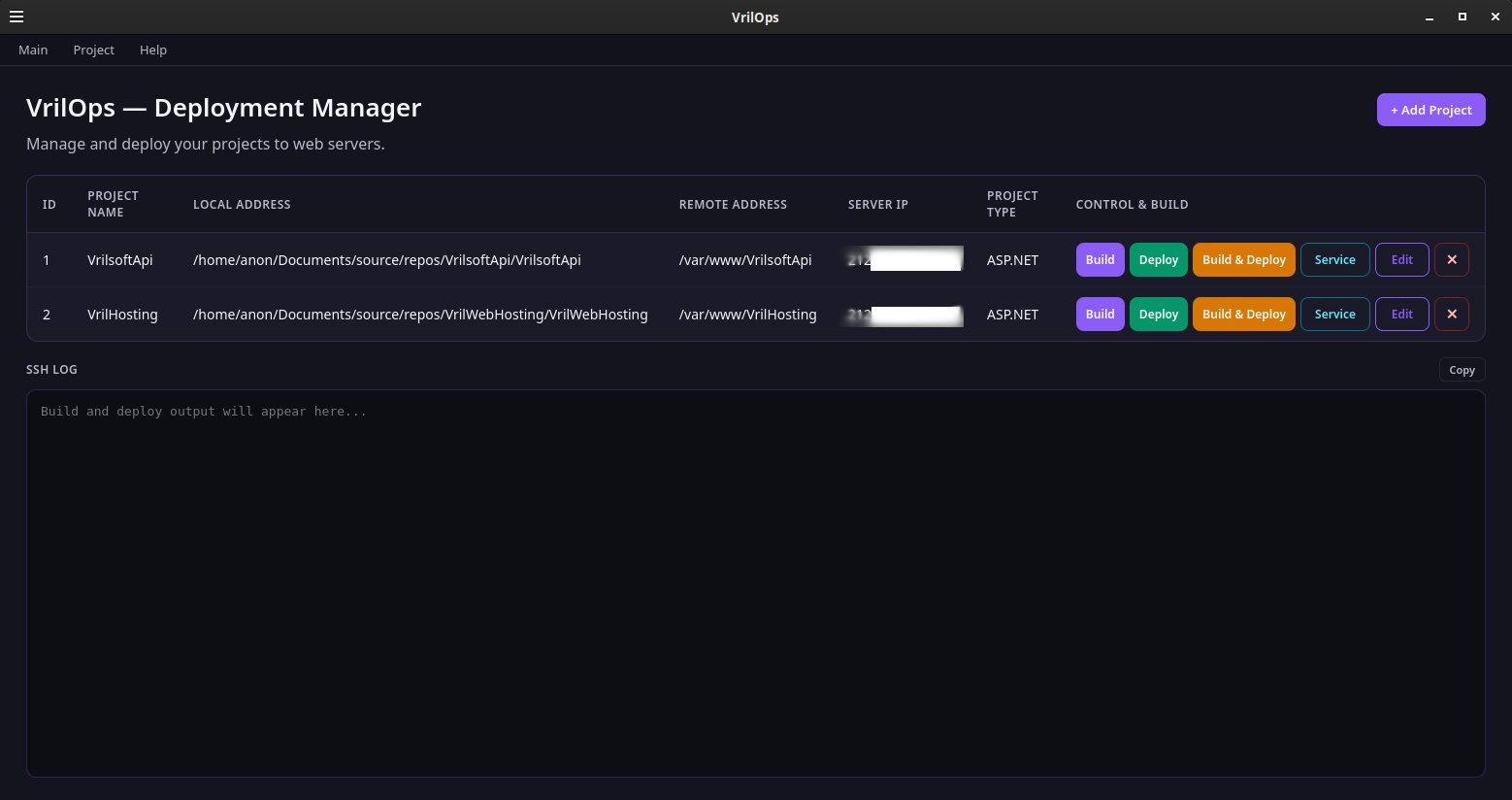
VrilOps is a free desktop application from Vrilsoft built for people who ship code to real servers. One window holds your projects, your build commands, your transfer method, and a live SSH log — with SSH passwords locked behind a PIN vault on your machine.
Stop juggling sticky notes, terminal history, and half-remembered rsync flags. Configure a project once. Hit Build, Deploy, or Build & Deploy. When a systemd unit is set, VrilOps can stop it, wait, transfer, wait, then start it again.
What VrilOps does
Project desk — name, local path, remote path, server IP/port, project type, transfer method, SSH user/password, optional custom build flags, optional service unit + sleep.
Build — clears the sibling deploy/ folder contents (never deletes the folder), then runs the command for your project type (ASP.NET, Node, React, Go, and more).
Deploy — SCP or RSYNC with optional flags; RSYNC-only options are filtered when SCP is selected so bad flags do not break the transfer.
Service control — optional systemd path; Deploy / Build & Deploy can stop → sleep → transfer → sleep → start. A Service button toggles start/stop when a unit is configured.
SSH LOG — live output with copy support. Passwords are redacted from the log.
PIN vault — first launch sets your PIN; projects and SSH secrets stay encrypted locally. Change PIN anytime from Help.
Who it’s for
Developers, hosts, and ops leads who deploy .NET, Node, and other stacks to Linux VPS boxes over SSH — and want a repeatable desktop workflow instead of reinventing the same shell one-liner every Friday night.
Free to use
VrilOps is free from Vrilsoft. Optional donations and Vrilsoft plans support the wider stack (Vril Hum, VrilXor, Vril One, and more).
Install on Linux (apt)
Package name: vrilops
Repository: apt.vrilsoft.com (signed, amd64) — the same repo as Vril Hum and VrilXor.
One-time setup + install
curl -fsSL https://apt.vrilsoft.com/vrilsoft-apt.gpg | sudo gpg --dearmor -o /usr/share/keyrings/vrilsoft-apt.gpg
echo 'deb [arch=amd64 signed-by=/usr/share/keyrings/vrilsoft-apt.gpg] https://apt.vrilsoft.com stable main' \
 | sudo tee /etc/apt/sources.list.d/vrilsoft.list
sudo apt update
sudo apt install -y vrilops
If you already use apt for Vril Hum or VrilXor, you only need:
sudo apt update
sudo apt install -y vrilops
Upgrade later
sudo apt update && sudo apt install --only-upgrade vrilops
Prefer a direct .deb? Download it from this page (SHA-256 is shown so you can verify), then:
sudo apt install ./vrilops_*.deb
Runtime note: Deploy uses sshpass for password-based SSH. The VrilOps package depends on it; if you install a portable build, run sudo apt install sshpass.